Skip to content

You want to order custom stickers, but the terminology is confusing. You see options for die-cuts, rolls, and sheets, and you are not sure which format fits your needs or budget.
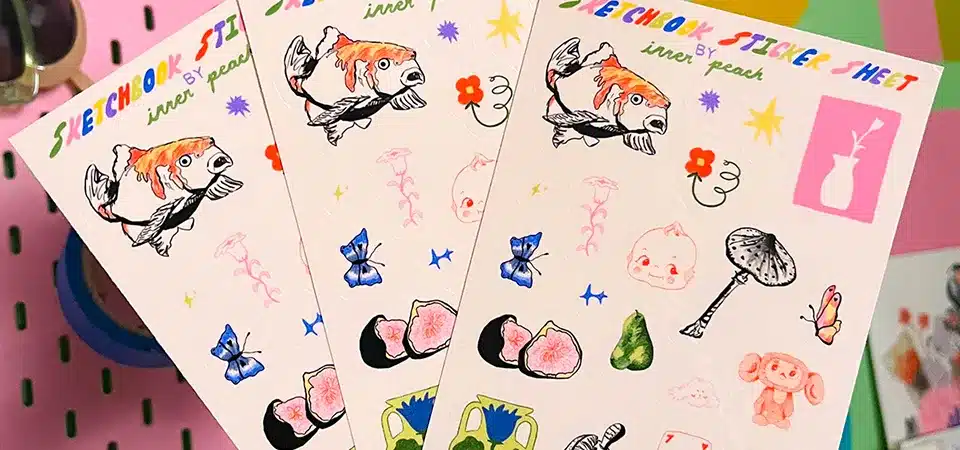
A sheet sticker is a group of designs printed on a single piece of adhesive paper, typically A4 or US Letter size. We "kiss-cut" each sticker so you can peel it off individually while the backing page stays intact. This format is ideal for organizing multiple designs or fast product labeling.
I explain this concept to my clients every single day. They often think they need individual stickers for everything, but once they understand the mechanics of a sheet sticker, they realize it is often the smarter choice. It is not just about saving money; it is about efficiency. Whether you are a brand owner labeling jars or an artist selling sticker packs, understanding this format is the first step to a better product. Let’s break down exactly how we make them and why they matter.
How do we manufacture sheet stickers?
You might worry that buying a "sheet" means you have to cut the stickers out yourself with scissors. You need to know if the product arrives ready to use or if it requires extra work on your end.
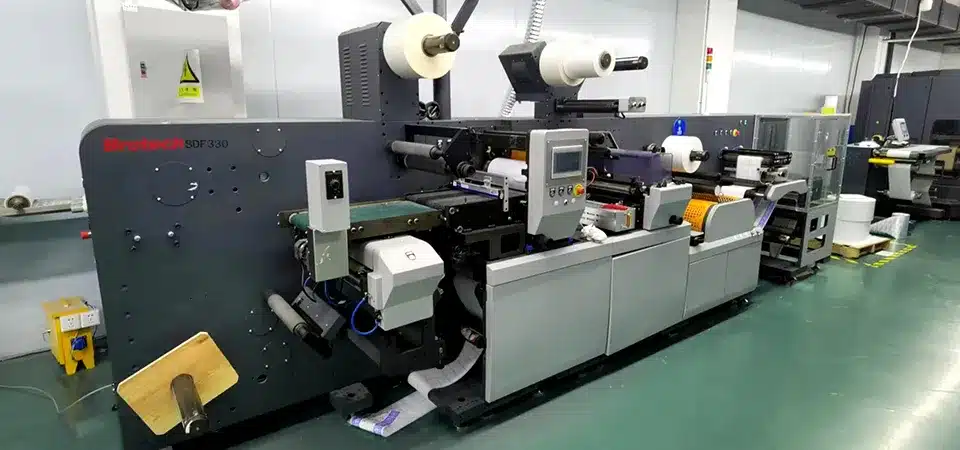
We manufacture sheet stickers using a precise process called decorative "kiss-cutting." A digital blade cuts through the top vinyl or paper layer to shape your design but stops exactly before cutting the backing paper. This keeps all your stickers securely on one page until you are ready to peel them.

To understand a sheet sticker, you have to understand the layers. Every sticker stock involves a "sandwich" of three parts: the face stock (where we print your art), the adhesive (the glue), and the liner (the backing paper).
When we make individual die-cut stickers, the machine cuts through all three layers. That gives you loose, individual items. But for sheet stickers, we adjust the pressure of the blade. It slices through the face stock and the adhesive but barely touches the liner. This technique is the industry standard for a reason.
This method allows us to place many stickers on one page. It also helps with what we call "weeding." In our factory, after the cut is made, we often peel away the waste vinyl around your design. This leaves your custom shape sitting in isolation on the white backing. This makes it incredibly fast for you to peel and stick. You don't have to pick at the edges with your fingernail for ten seconds. You just bend the sheet slightly, and the sticker edge pops up. For businesses labeling hundreds of products, this small manufacturing detail saves hours of labor.
What is the difference between a "label" and a "sticker"?
You hear these two words used interchangeably and it makes you hesitate. You want to sound professional when ordering such products, and you want to ensure you get the correct material for your specific application.
Technically, sheet labels and sheet stickers use the same printing process, but the intent is different. "Labels" are functional and informative, usually for packaging, while "stickers" generally refer to designs that are decorative, promotional, or collectible.

In my ten years in this industry, I have seen that the difference is almost entirely entirely about "Slang" and "Context." The machine does not know the difference. It prints and cuts the same vinyl. But the customer's goal changes everything.
When a client asks for "Sheet Labels," they usually have a job to do. They need to tell their customer what is inside a bottle. They need a barcode. They need an expiration date. The design is usually static, information-heavy, and uniform. We print these on sheets because it is the most efficient way to store inventory. You can keep a file folder of "Lavender Scent Labels" and pull one sheet out at a time.
When a client asks for "Stickers," they are talking about identity. In slang, specifically in street culture and youth marketing, a sticker is a "slap." It is something cool. It is art. It is meant to be stuck on a laptop, a skateboard, or a street sign. A "sticker sheet" in this context is often a collection of art pieces sold as a set. It is a product in itself, not just packaging.
Here is a quick way to visualize the difference I see in my orders:
| Feature | Sheet Label | Sheet Sticker |
|---|---|---|
| Primary Goal | Information & Utility | Decoration & Expression |
| Standard Shape | Circle, Square, Rectangle | Custom Die-Cut outlines |
| Design Content | Logos, Ingredients, Barcodes | Illustrations, Characters, Slang |
| Customer Action | Sticks it on a product to sell | Buys it to stick on personal items |
| Material Choice | Paper or Standard Vinyl | Thick Vinyl, Holographic, Clear |
Understanding this helps you communicate with your designer. If you say "sticker," they might design something wild. If you say "label," they will look for a place to put the text.
How should you set up your file for sheet printing?
You are ready to design, but you are terrified of setting up the file incorrectly. You don't want to receive a batch of sheets where the designs are cut in half or the colors look wrong.
Proper file setup requires three key elements: a clear vector cutline for the machine to follow, at least 2–3 mm of spacing between each design, and a "bleed" area where the color extends past the cutline to prevent white edges.

This is the part where most errors happen, but it is easy to fix if you know the rules. Since we are printing multiple images on one large page (usually A4 or A3), the spacing is the most critical part.
First, let's talk about the Cutline. The printer needs a map. In programs like Adobe Illustrator, this is a specific stroke path that tells our laser or blade exactly where to go. It needs to be a vector line. If you just send a JPEG image, the machine can only guess the edge, and it often guesses wrong.
Second is Spacing. You cannot push stickers right up against each other. The blade is thin, but it moves fast. If stickers are touching, the backing paper loses its structural integrity and becomes floppy. I always require a minimum gap of 2mm to 3mm between every sticker on the sheet. This "skeleton" of waste material keeps the sheet rigid and flat.
Third is the Bleed. This is a printing term that confuses beginners. Machines have a tiny margin of error, maybe 0.5mm. If your design stops exactly at the cut line, and the blade shifts a tiny fraction, you will get a thin, ugly white line on one side of your sticker. To stop this, you must extend your background color past the cut line by about 2mm. This way, if the blade shifts, it is still cutting through color.
Here is a simple checklist I use for quality control:
- Resolution: Is the image 300 DPI? (Blurry images print blurry).
- Color Mode: Is it CMYK? (Screens use RGB; printers use CMYK. The colors will shift if you don't convert them).
- The "Safe Zone": Is your text at least 2mm inside the cut line? (You don't want your phone number chopped off).
Conclusion
A sheet sticker is a versatile, cost-effective format that combines the efficiency of batch printing with the convenience of easy peeling, making it perfect for both functional product labels and creative artistic collections.